
Keeping your website up and running is essential to maintaining your hard-earned Google rankings and ensuring a great user experience. Downtimes can not only threaten your SEO efforts, but also the financial success of your business if potential customers are unable to access your website.
To help you stay on top of your website’s performance, we are excited to introduce Seobility’s new Uptime Monitoring (Open Beta)! This tool gives you the peace of mind that your website is running smoothly and alerts you quickly of any downtime, so you can resolve any issues before they negatively impact your business.
In this article, we will show you:
- How Seobility’s Uptime Monitoring works
- What Seobility defines as downtime
- How to set up Uptime Monitoring
- How to handle and prevent downtimes in SEO
Let’s get started!
What is Seobility’s Uptime Monitoring and why do I need it?
Uptime Monitoring is a new feature in Seobility that helps you monitor your website’s availability 24/7.
It checks your project’s start URL at a selected time interval (from once a minute to every 60 minutes) and sends you an email alert if your website is down. This allows you to take action quickly, minimize downtime, and prevent negative impacts on your business and revenue.
You will find this feature in Seobility’s new “Website Health” section:
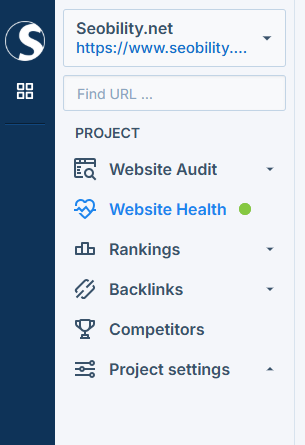
This section provides an overview of your website’s uptime, server response times, and any downtimes.
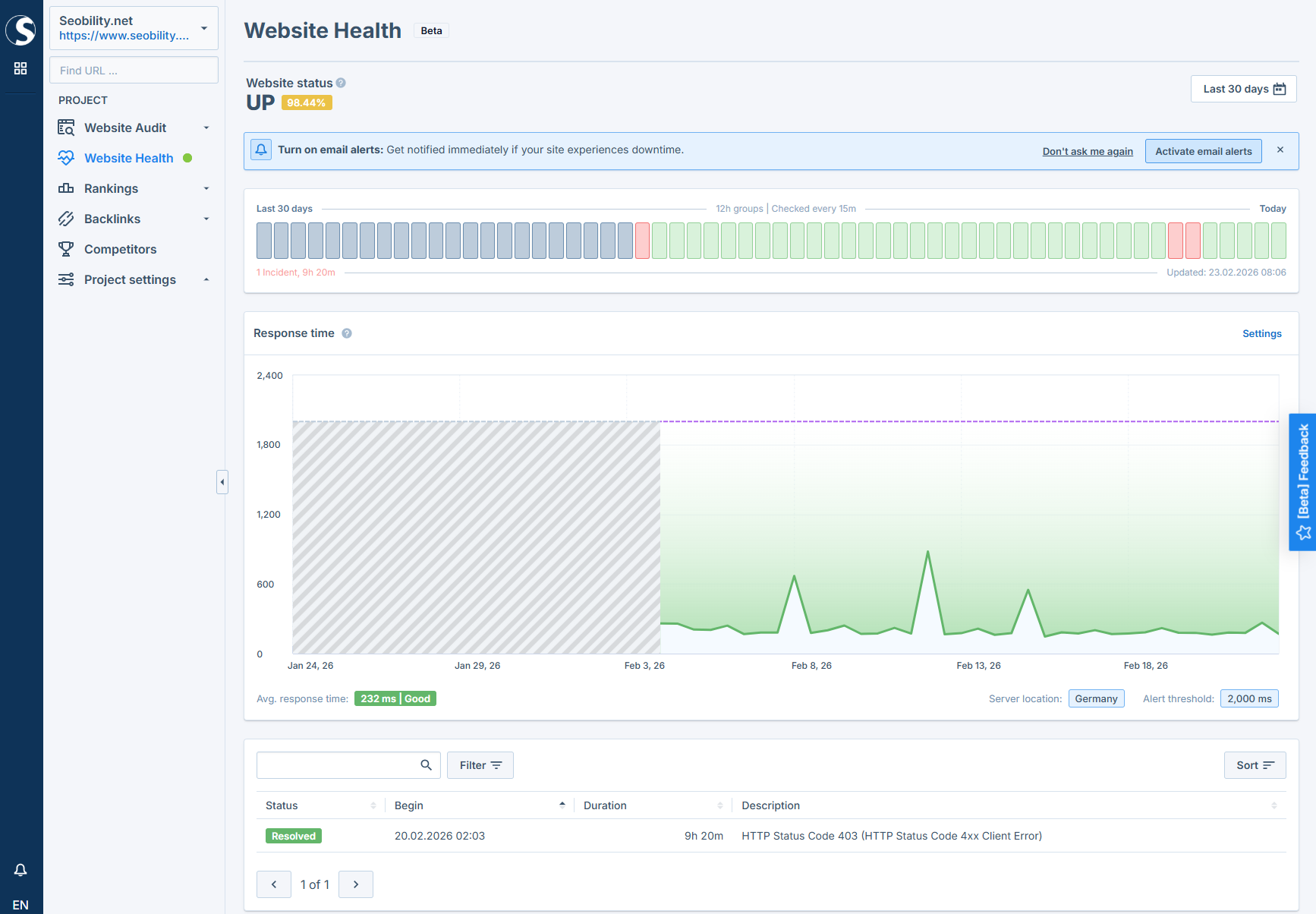
With this data, you’ll be able to evaluate your website’s reliability and server performance, both of which are important factors for SEO.
What makes Seobility’s Uptime Monitoring different?
Unlike basic uptime checkers, Seobility doesn’t just test whether your server is online.
We alert you if:
- Your server takes too long to respond
- Important pages return 4xx or 5xx errors
- Unexpected redirects occur
- Your SSL certificate is invalid
- DNS or connection problems make your site unreachable
- The delivered content is corrupted, or unusually large
Combined with flexible monitoring intervals, this gives you a much more reliable picture of your website’s technical health, especially from an SEO perspective.
Why is your website’s uptime important for SEO?
As we’ve already mentioned, reliable website availability is essential for maintaining your rankings. Unsurprisingly, Google doesn’t want pages in its search results that return an error message when users click on the result!
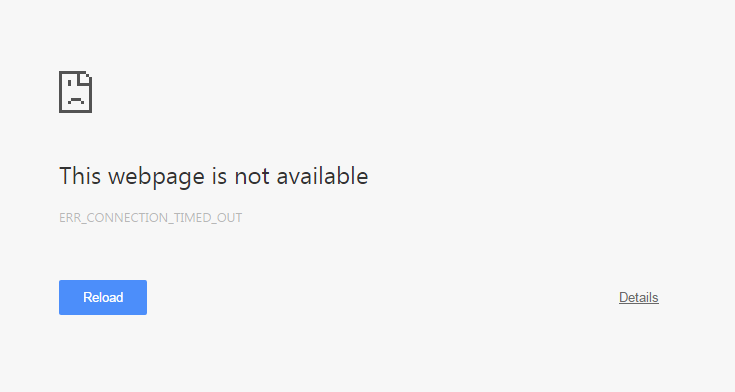
According to Google Search Central, Google will (eventually) remove pages from its index that return an HTTP error code. In particular:
- 4xx error codes (client errors): If your page returns a 4xx error code (such as a 404 error) when crawled by Google, it will be removed from the index.
- 5xx error codes (server errors): If Google gets these error codes from your server, it will slow down the crawling of your website first. If a URL continues to return that error, it will be removed from the index as well.
This means: keeping your website up and running is essential to keeping your content indexed by Google! While short server downtimes won’t lead to immediate de-indexing, your page will eventually be removed from the index if these errors persist over a longer period of time.
But more than uptime is needed. It’s also important to provide a quick response to search engines as well as users when they try to access your website.
That’s why Seobility’s Uptime Monitoring also lets you monitor your server response time.
This time contributes to your overall page load time, which is an official Google ranking factor.
So by keeping your server response times short, you will not only please your visitors, but you can also make a positive impact on your rankings.
How does the Uptime Monitoring work?
The new “Website Health” section provides an overview of your website’s availability, server response times, and any downtimes.
At the top you can see the average uptime of your website. This shows the percentage of time your website was up (i.e. free from downtime) over the selected time frame.

The graph visualizes this uptime history, with any downtime indicated by a red bar.
Below this, you can see the history of your website’s response times – an important indicator of your server’s performance.
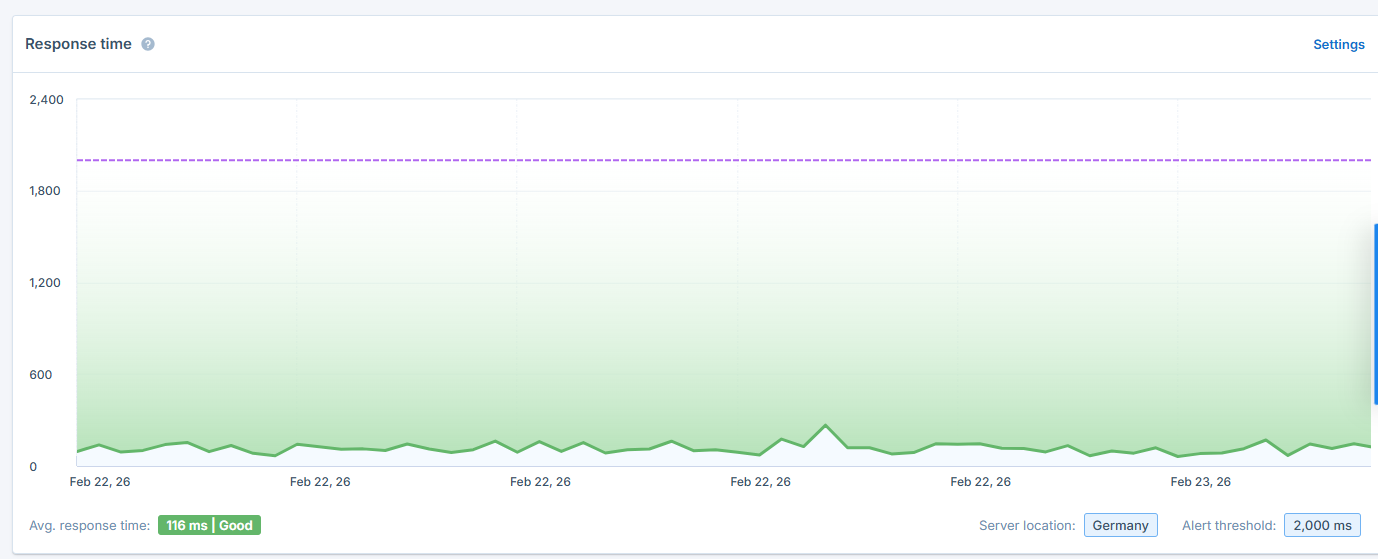
You can set a custom response time threshold (shown by the dashed line in the graph) that will be used as an alert threshold. This means that if your response time exceeds this threshold, it will be counted as a downtime.
If your website experiences a downtime, it will not only be displayed in the graph at the top but also listed in the table below:

This table contains important information about each downtime that will help you troubleshoot the underlying issues, including:
- Start time and duration of the downtime
- Reason for the downtime (e.g., HTTP error code or connection timeout)
- Resolution status (marked as “resolved” when the downtime is over)
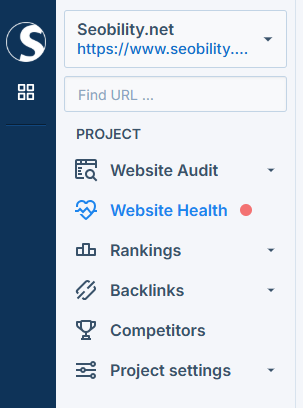
And to make sure that you really won’t miss a downtime, it will also be indicated in Seobility’s navigation menu…
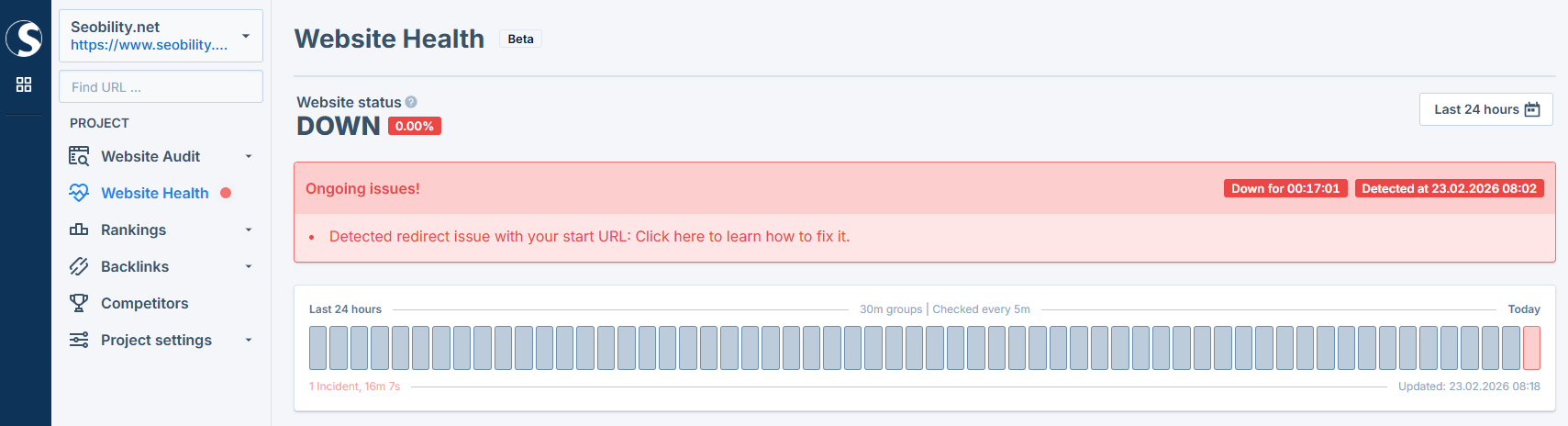
…and you will see a big warning at the top of the Website Health dashboard:
Email Alerts
In addition to providing you with all important data about your website’s downtimes in the dashboard, Seobility will also send you an instant email when a downtime is detected, allowing you to react quickly.
These alerts can be enabled or disabled in the feature settings (more on this later).
What does Seobility define as a downtime?
When we say “downtime,” we don’t just mean that your website is completely offline. In Seobility’s Uptime Monitoring, downtime is defined as any event that prevents the successful retrieval of a URL.
That means we check for much more than just “server down” errors. Here’s what we monitor in detail:
Server timeouts (10-second limit)
If Seobility does not receive a response within 10 seconds, we treat this as downtime.
Important to know: The 10-second limit is defined by Seobility. Your server’s internal timeout is usually higher. But from an SEO perspective, response times above 10 seconds are already unacceptable. Googlebot (and users!) won’t wait forever. So instead of waiting longer, we stop the request and classify it as downtime.
HTTP status codes other than 200
We expect a clean 200 (success) response. Any other HTTP status code is considered problematic. This includes:
- 3xx redirects (i.e. if the monitored start URL unexpectedly redirects instead of being directly accessible)
- 4xx client errors like 404 or 403 that block access to your pages
- 5xx server errors that indicate critical server-side problems
Some of these errors may not mean your server is completely down, but from Google’s perspective, they can still block crawling and indexing.
Invalid SSL certificates
If your SSL certificate is invalid, browsers and search engines may block access to your website. That’s why Seobility also checks whether your SSL configuration is valid.
Server response time exceeds your custom threshold
You can define your own maximum response time. If your server takes longer than that threshold, Seobility will treat it as downtime.
Miscellaneous connection errors
This category includes issues such as:
- Disconnected domains
- DNS resolution errors (host cannot be resolved)
- Connection failures
- Other unexpected technical errors that prevent the page from being retrieved
Content delivery issues
Seobility also detects unusual content delivery issues, such as corrupted responses, incorrect content types (e.g., non-HTML data instead of text), or unusually large response sizes that may indicate configuration problems.
Configuring your Uptime Monitoring settings
You can access the Uptime Monitoring settings via the main navigation, or by clicking this link:
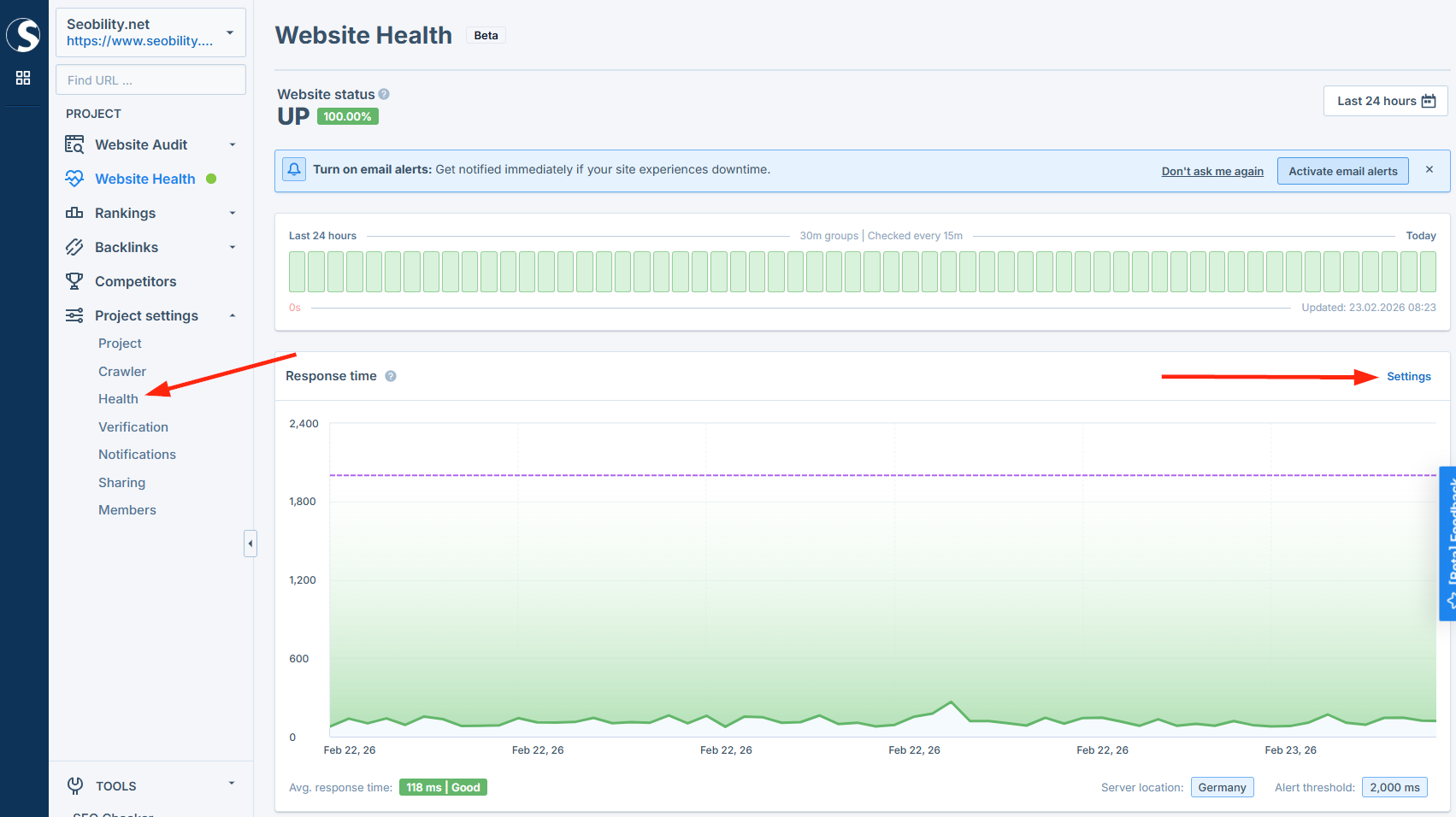
This will take you to the settings page:
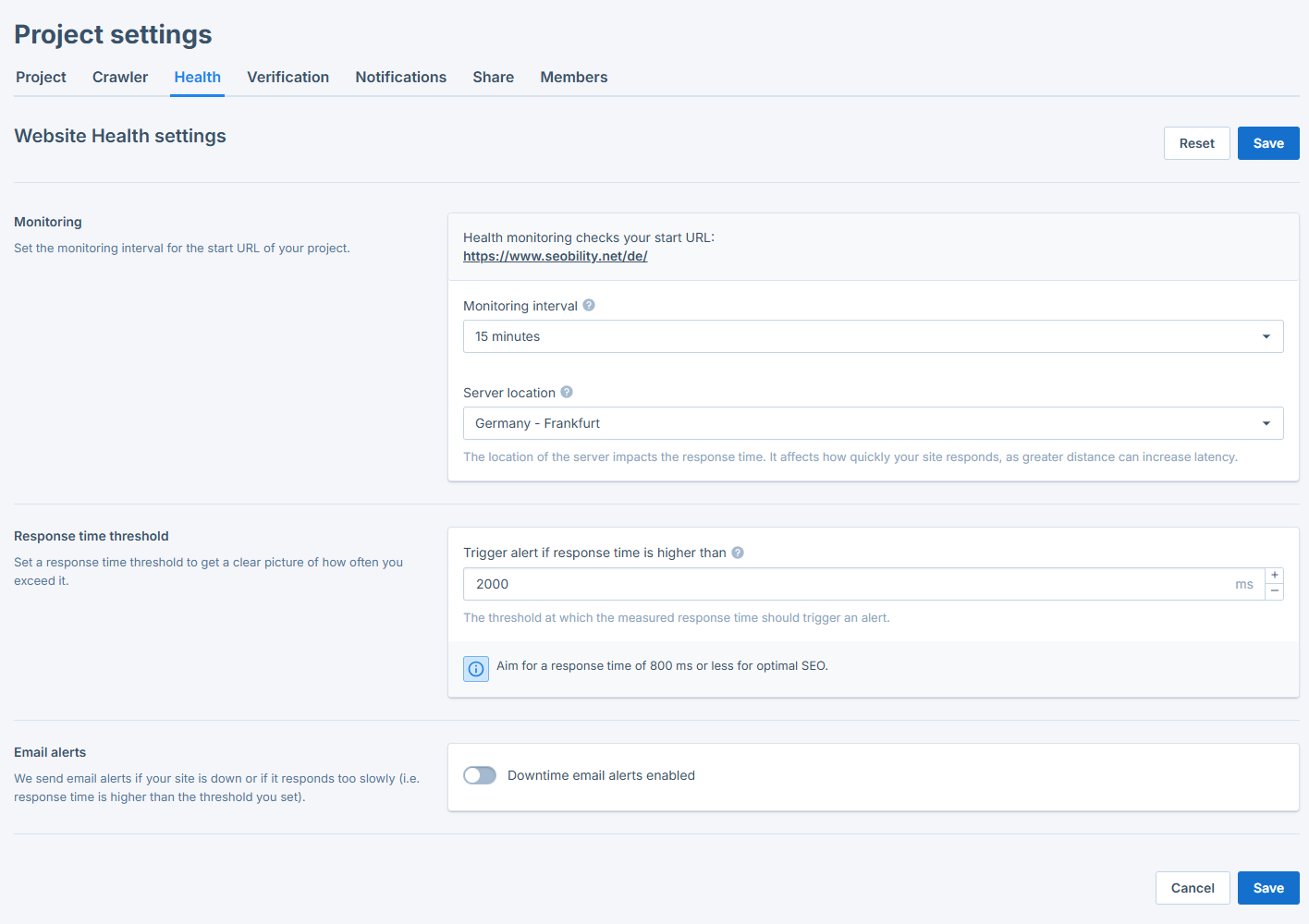
From there, you can:
- Set the monitoring interval (how frequently your website’s URL should be checked), ranging from 1 to 60 minutes.*
- Set a custom alert threshold for your server response time. (By default, this is set to 2000ms, but a good response time from an SEO perspective would be below 800ms.)
- Enable or disable email alerts. (We recommend enabling them to ensure you’re quickly alerted to any downtime.)
- Specify the email addresses to receive downtime alerts (e.g., your website administrator).
These settings give you complete control over how your website’s uptime is monitored and who is notified when problems occur.
*Please note: Monitoring intervals shorter than 15 minutes require project verification. The 1-minute interval is only available to Agency plan customers.
What to do in case of a downtime
Encountering a website downtime can be frustrating and stressful, but don’t panic! With the right approach and tools, you can quickly identify the issue and take steps to resolve it.
The first step is to check the downtime description provided by Seobility, as it can offer valuable clues about the nature of the problem.
HTTP status codes, in particular, can provide insights into the specific type of issue you’re facing. You can refer to this list of HTTP status codes for a comprehensive overview.
Here are some tips for dealing with specific issues:
Server problems (HTTP 5xx codes, timeouts)
- Server errors and timeouts can happen. As long as they only last for a few seconds/minutes and don’t happen regularly, it’s usually nothing to worry about.
- If you are experiencing server problems, don’t hesitate to reach out to your hosting provider for assistance.
- If you’re experiencing server problems on a regular basis, it might be a good idea to upgrade your hosting plan or switch to a different hosting provider.
Slow response times
- Slow response times are often an indication of poor server performance.
- While this problem can’t be solved immediately, you can optimize your server’s response times by following these tips.
4xx codes
- The solution to 4xx codes depends on the specific error code encountered.
- You’ll find more details in this overview of client error responses.
How to avoid website downtimes
While website downtimes can often be resolved quickly, it’s always better to prevent them from happening in the first place. After all, every minute your website is down can lead to lost visitors, missed opportunities, and potential damage to your revenue.
The good news is that there are proactive steps you can take to minimize the risk of downtimes and keep your website running smoothly.
Choose reliable hosting
One of the best proactive measures is to choose a reputable hosting provider with high uptime guarantees. Consider cloud hosting, as it can offer greater reliability and scalability compared to traditional web hosting.
Reduce server resource usage
In addition to choosing reliable website hosting, you can also actively decrease the risk of downtimes by reducing the load you put on your web servers.
Simple measures, such as eliminating unnecessary code and processes, can reduce the amount of server resources that are needed to load your website.
CDNs that distribute your content across multiple global servers can also help to reduce the load on your primary server.
Another great approach is to implement server caching for frequently accessed data and pages.
Additionally, compressing and minifying your website’s assets, such as images, CSS, and JavaScript files, can greatly speed up page loading times.
Faster-loading pages not only provide a better user experience but also reduce the likelihood of server timeouts and other performance-related issues.
For more tips on how to boost your website’s loading times and reduce server load, check out our full page speed optimization guide.
Regular maintenance and monitoring
To keep your website performing well, make sure you keep your software up to date. This includes your server, your content management system, and any plug-ins you use.
You should also keep a close eye on your server performance with Seobility’s Uptime Monitoring and take proactive steps if you notice problematic response times or other issues.
Over to you
Now it’s your turn! Go to your Website Health dashboard in Seobility and explore the new feature.
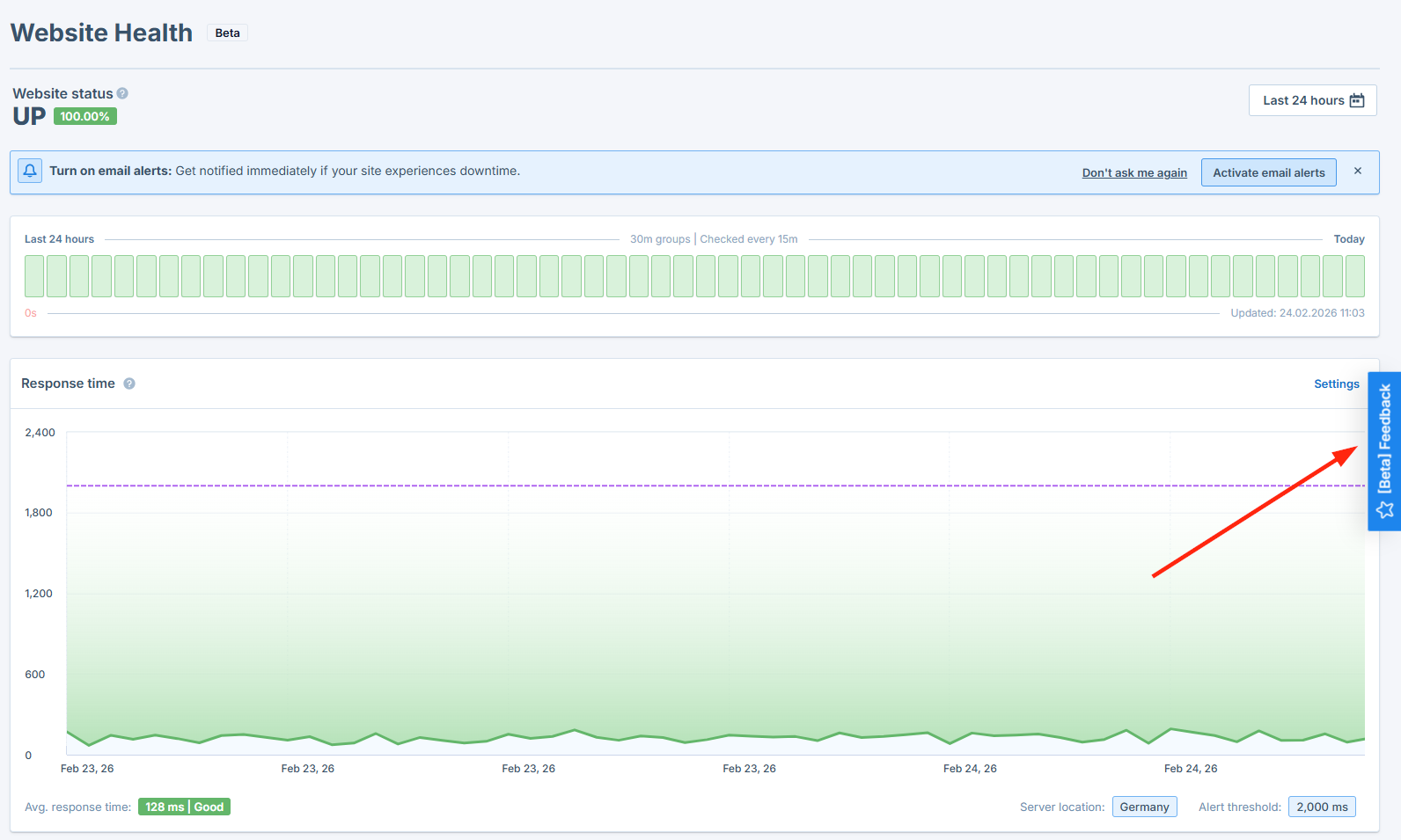
This is just the first version of this feature, so we’d love to hear your feedback!
Simply click the feedback button on the right side of your screen to share any problems or ideas for future improvements:
If you have any questions or difficulties using the new feature, our support team (support@seobility.net) will be happy to help.